ScanMind

Private document scanner

Scan smarter.
Keep it yours.

Scan documents, perfect every page and create polished PDFs — right on your Android phone.

  • Processed on your device
  • No subscription
  • No ads

Private by design.

  • Local-firstPages are processed and stored on your phone, never on our servers.
  • No subscriptionFree to use. Pay once only if you want Pro.
  • No ads, no accountA focused tool. Nothing to sign up for, nothing in your way.

The ScanMind workflow

From paper to polished PDF
in seconds.

  1. 01

    Scan

    Point your camera. ScanMind outlines the page as you aim.

  2. 02

    Perfect

    Straighten the perspective, crop to the edge and choose a filter.

  3. 03

    Organize

    Every scan lands in your library, named by date and easy to find.

  4. 04

    Export

    A clean, multi-page PDF to share, save to any folder or print.

Scan

Your camera becomes a document scanner.

ScanMind finds the page’s edges as you aim, so you can capture clean pages quickly — one after another.

  1. 01
    Live page detection

    Edges are found continuously and the outline settles smoothly on the page.

  2. 02
    Pages in this scan

    Keep shooting. The counter shows how many pages you have captured.

  3. 03
    Import instead

    Already have a photo of a document? Bring it in from your gallery — no camera needed.

Perfect

Fix the perspective.
Keep the document.

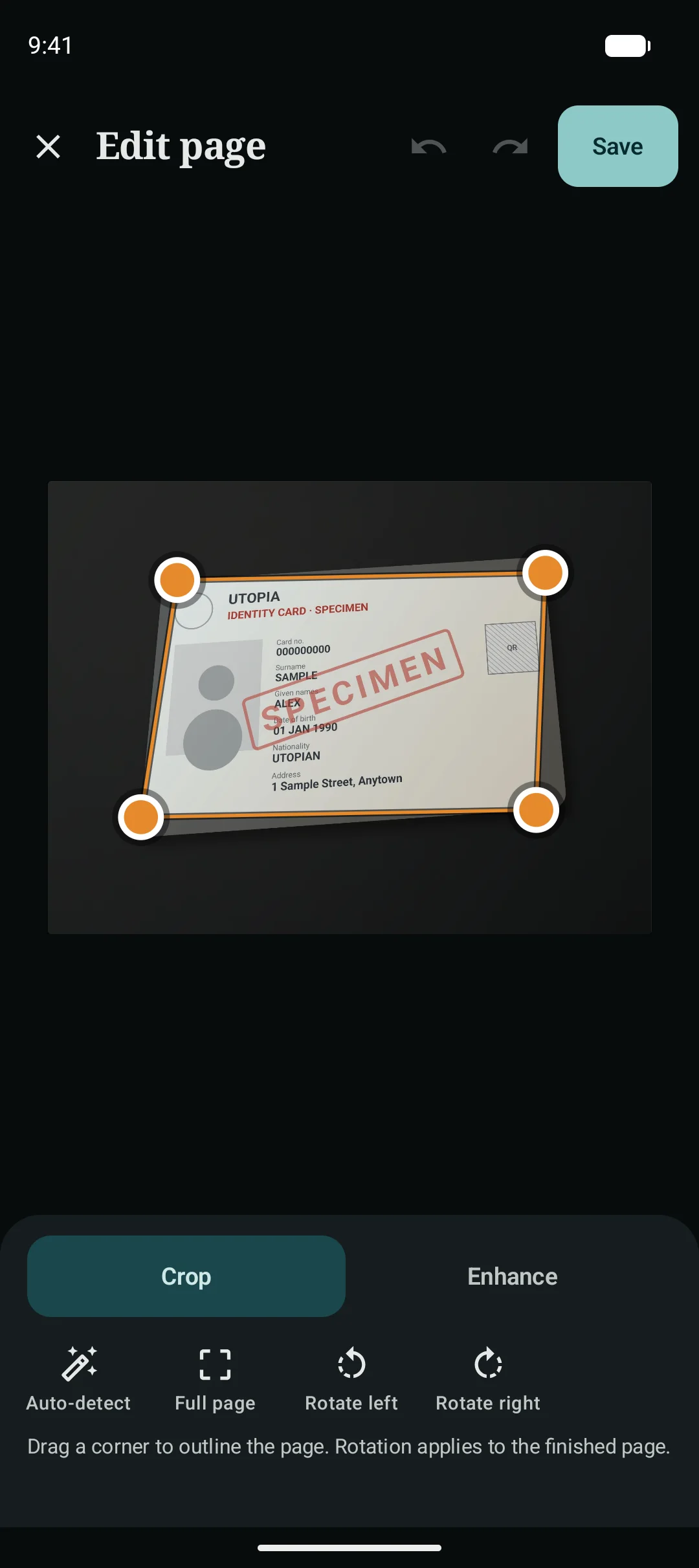
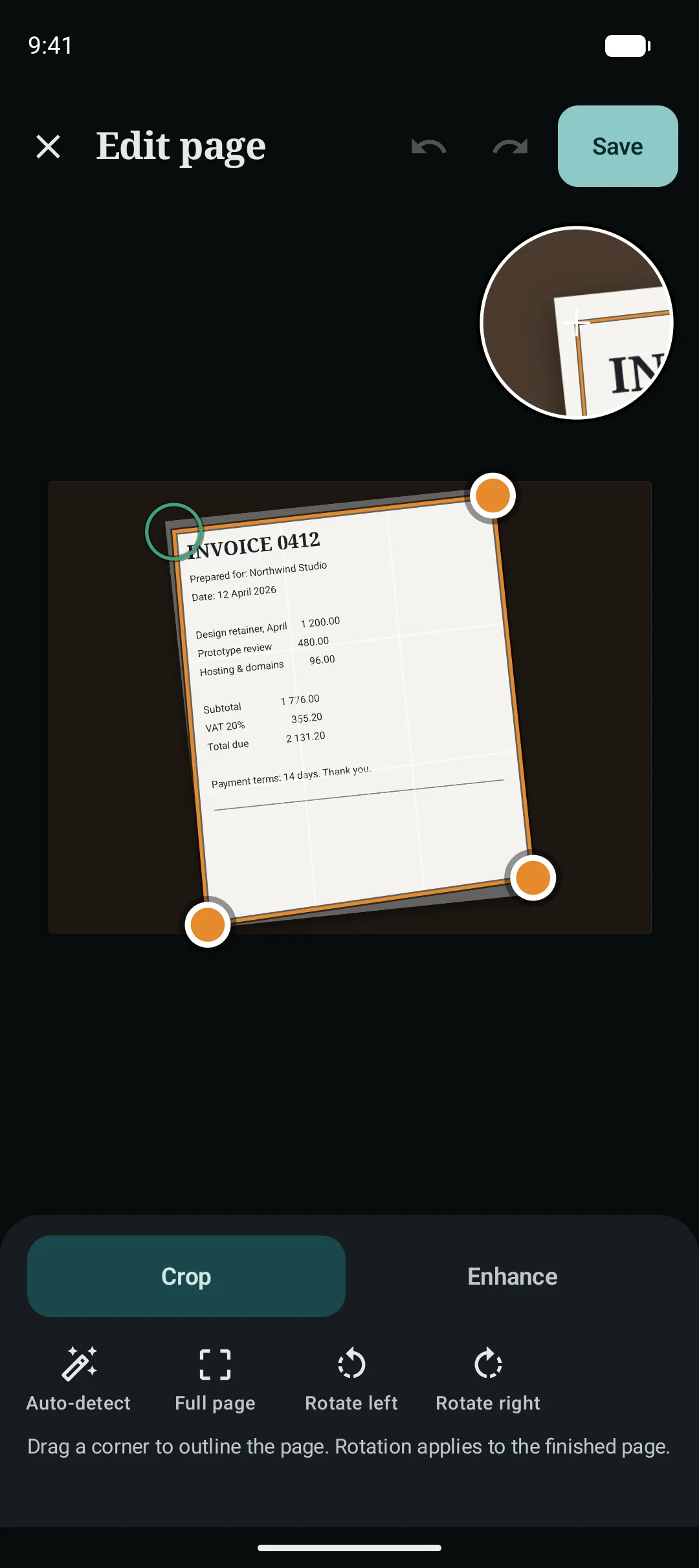
Drag any of the four corners onto the page’s edge — a magnifier shows exactly where you are. ScanMind then flattens the angled photo into a straight, rectangular page.

Drag the slider to compare.

Enhance

Make every page
easier to read.

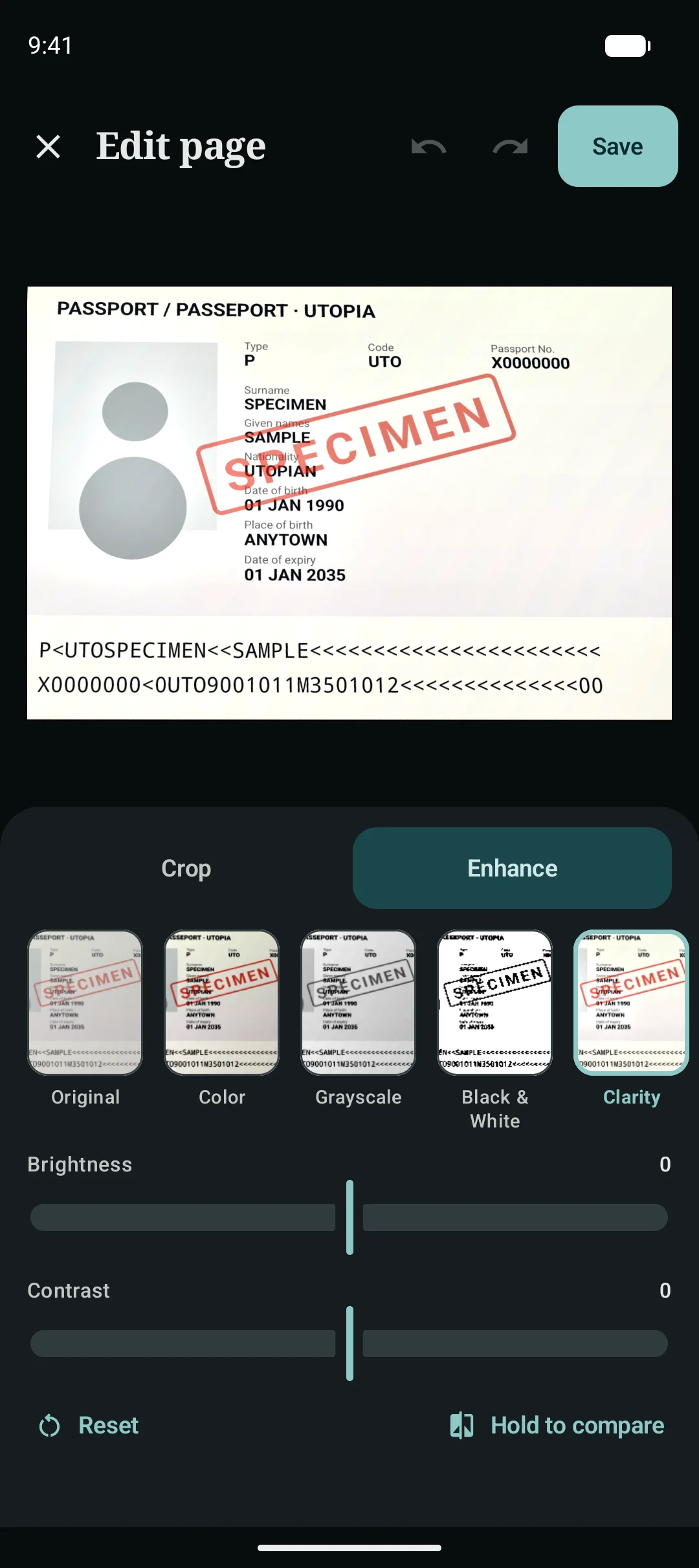
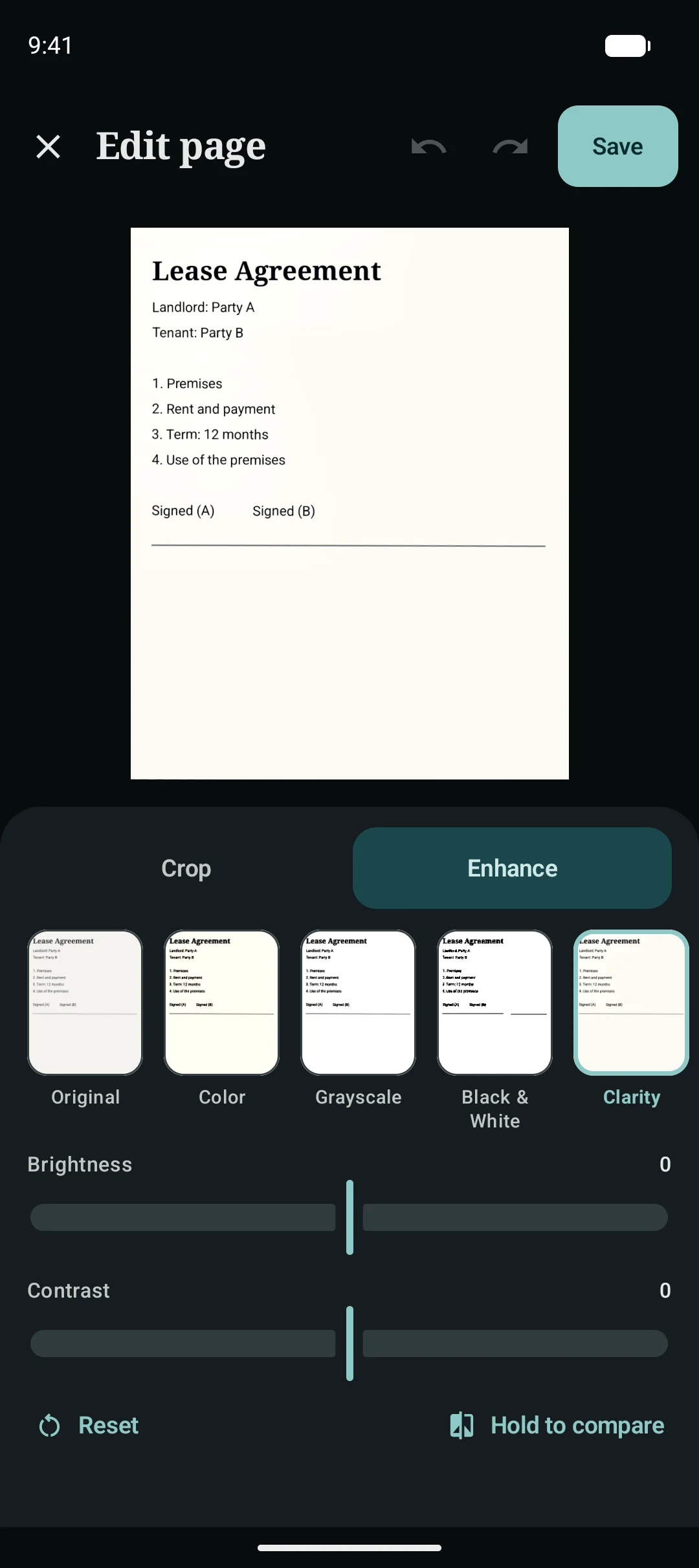
Shadows from your hand, a yellow desk lamp, grey paper — one tap fixes them. Fine-tune brightness and contrast, and see the real result on your page before you save.

Enhancement filter

Illustration. ScanMind’s filters are hand-tuned image processing that runs on your phone — not cloud AI.

Multi-page

Scan a stack.
Not one page at a time.

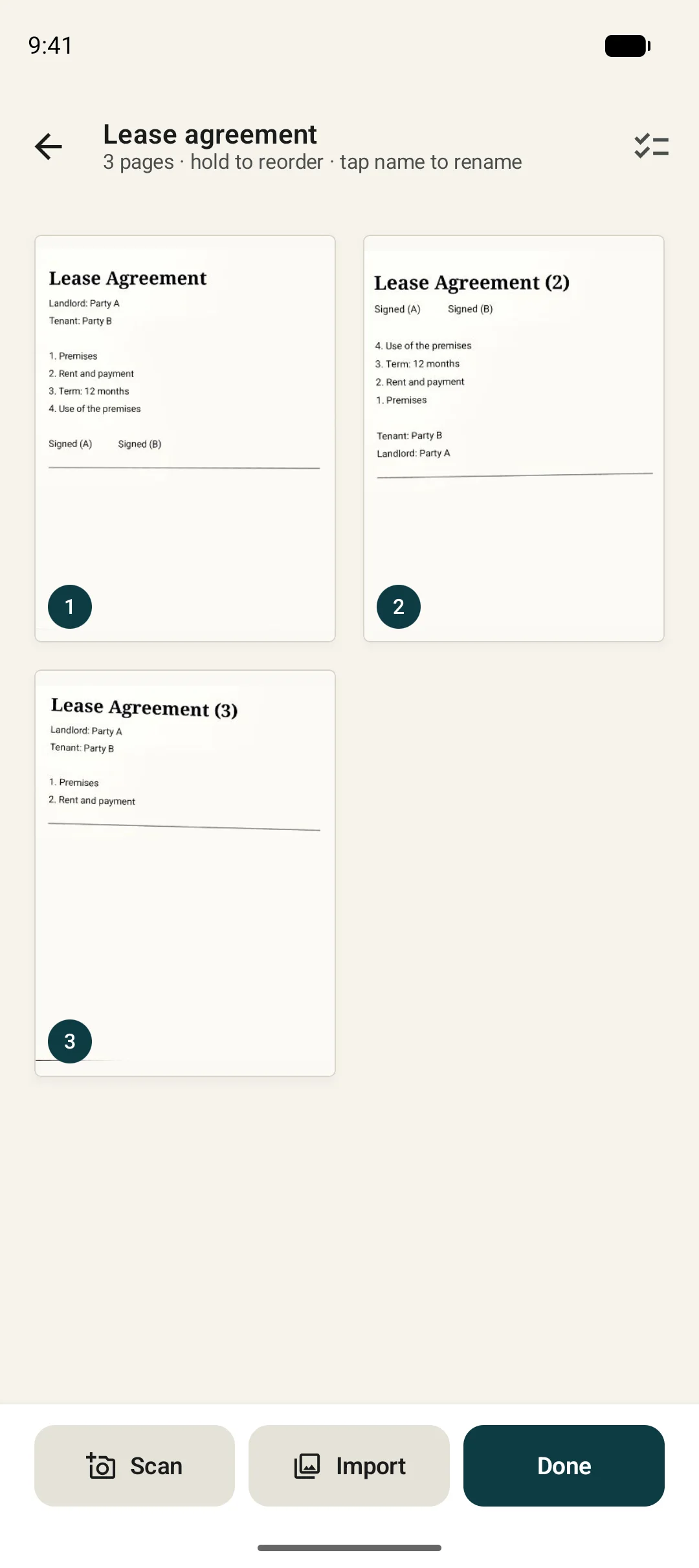
Capture every page in one session, then review them together before you save.

  • Reorder by dragging
  • Rotate
  • Re-crop
  • Change filter
  • Delete a page
  • Add more pages

Export

Turn your scans into professional PDFs.

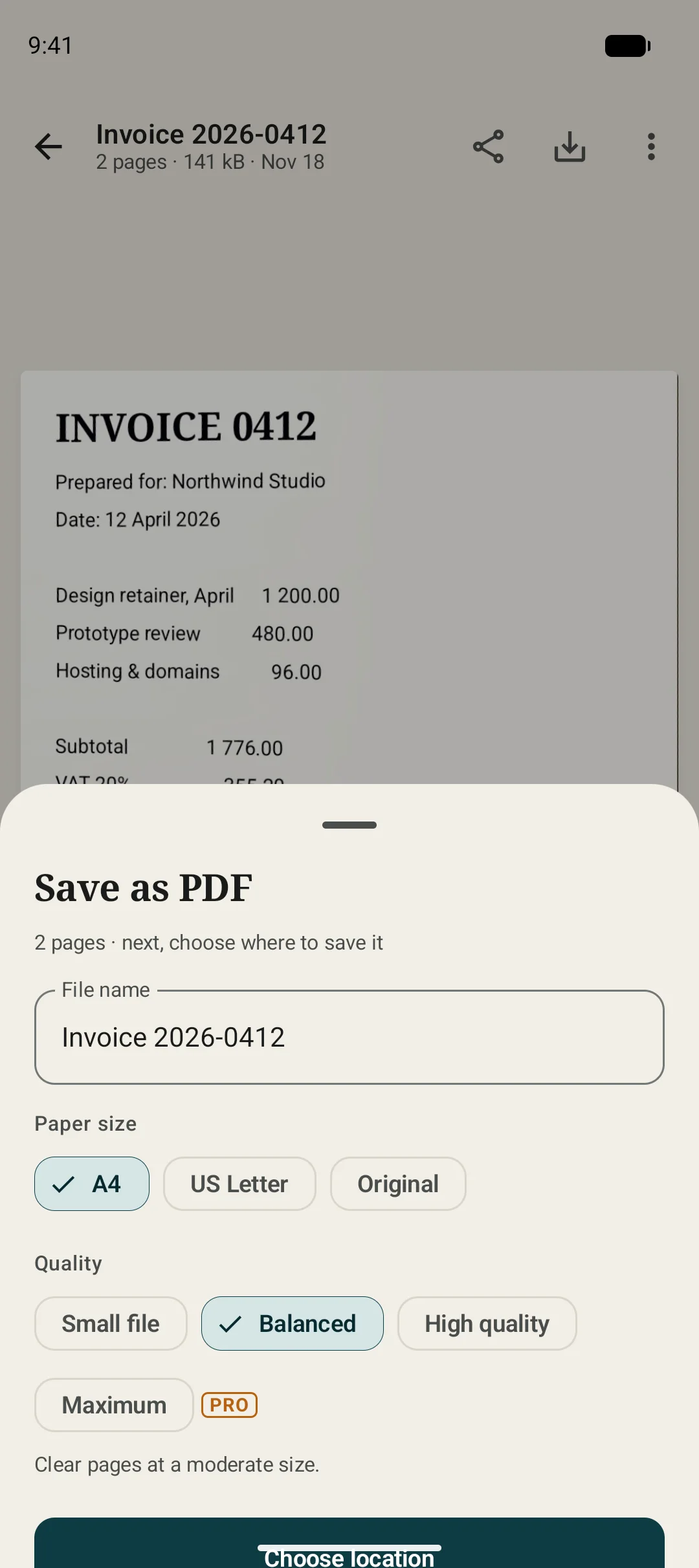
Choose a paper size and a quality, and ScanMind builds the PDF page by page on your phone — even long documents stay fast.

Paper size
A4 · US Letter · Original proportions
Quality
Small file · Balanced · High quality · Maximum Pro
Pages
As many as you scan, in your order
Then
Share · Save to any folder · Print

Organize

Your documents.
Organized.

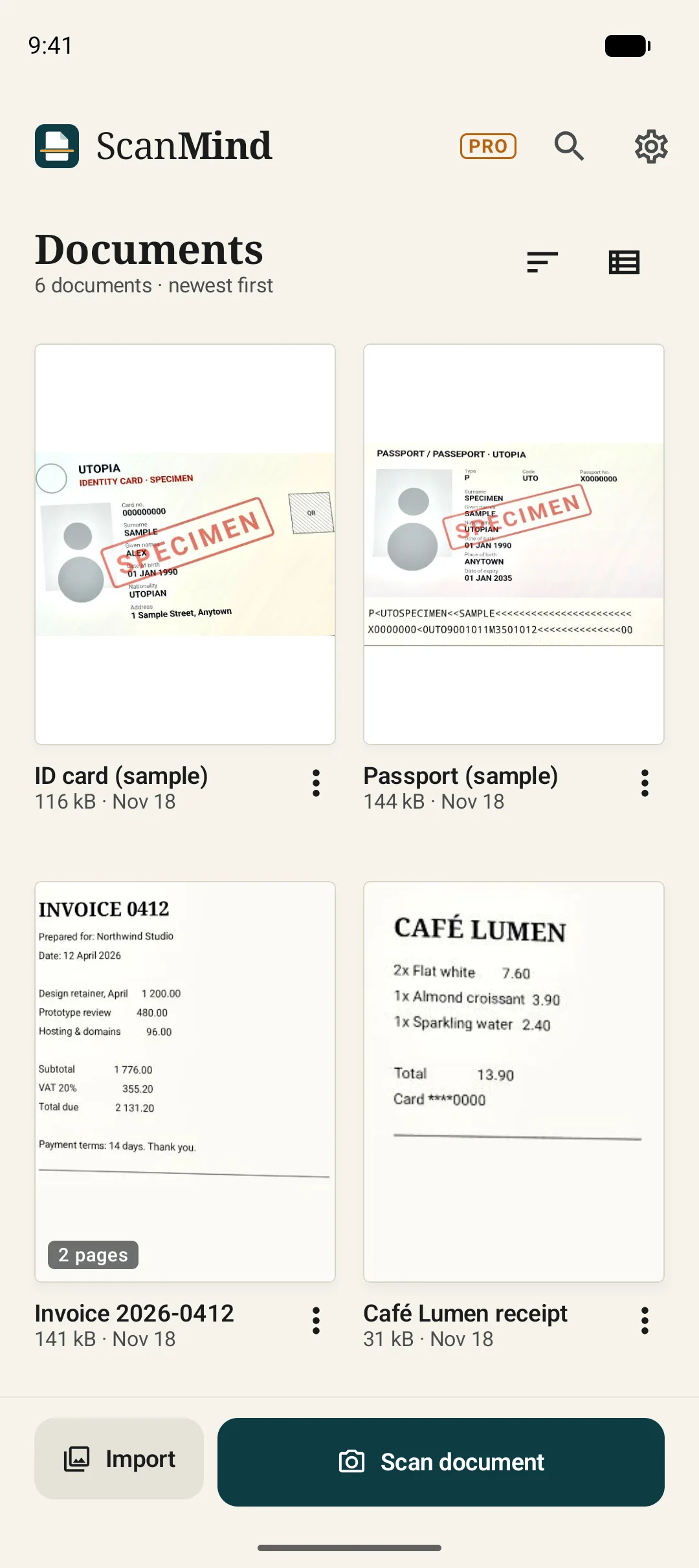
A quiet, fast library that feels like a document workspace — not a camera roll.

Search
Find any document by name as you type.
Sort & view
Newest, oldest, recently modified or A–Z. Grid or list.
Named for you
New scans are titled by date; rename whenever you like.
Select many
Duplicate, export or delete several documents at once.
The ScanMind library on Android: four scanned documents with thumbnails, page counts, sizes and dates

The app

Real screens.
Nothing mocked up.

Captured from ScanMind on Android. Every document shown, including the ID card and passport, is a synthetic specimen.

Privacy

Your documents
are yours.

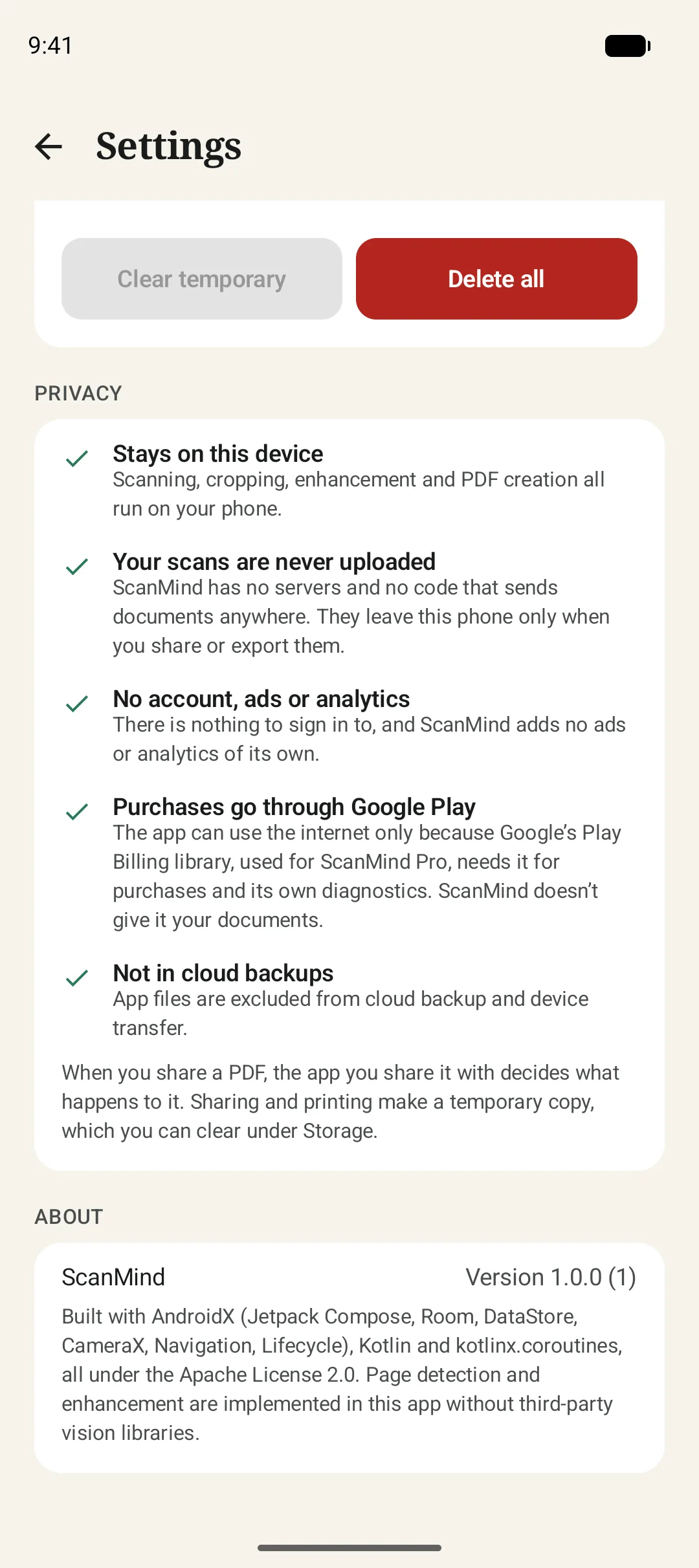
ScanMind is built around processing and storing documents on your device. They don’t need to live in someone else’s cloud to be useful — a document leaves your phone only when you share or export it.

  1. 01

    Private

    Pages are processed and stored in ScanMind’s private storage on your phone, and kept out of Android cloud backup.

  2. 02

    Simple

    No ScanMind account. No sign-in. Open the app and scan.

  3. 03

    Focused

    No ads and no analytics in ScanMind. Just your documents.

To sell Pro, the Android app includes Google Play’s billing library, which talks to Google Play and sends Google its own diagnostic data. ScanMind never sends your documents anywhere. Read the privacy policy

ScanMind Pro

Go further with ScanMind Pro.

Advanced tools for people who scan often. Pay once, keep them for good.

ScanMind

Free

A complete scanner. Not a trial.

  • Automatic page detection
  • Four-corner crop & perspective correction
  • Five enhancement filters, brightness & contrast
  • Multi-page scanning, reorder & rotate
  • PDF export in A4, US Letter or original size
  • Library with search, sort, rename & duplicate
  • Share, save to any folder & print
Get ScanMind

ScanMind Pro Lifetime

$39.99once

One-time purchase · No subscription · No recurring charges

Everything in Free, plus

  • Crisp enhancementPure-white paper and sharpened text, so faint print, pencil and small type stay readable.
  • Maximum-quality PDFsEvery page re-rendered from the original photo at full detail, for archiving and print.
  • Merge documentsCombine several documents into one, in the order you pick them. Originals stay untouched.
  • Batch exportSave many documents as separate PDFs into a folder in one step.
Get ScanMind

Pro is bought inside the app through Google Play, which shows your local price. Restore it any time from Settings.

$39.99 once. Pro forever.

For every kind of paper

Whatever lands on your desk.

  • ReceiptsExpenses and returns
  • InvoicesBills and statements
  • ContractsSigned agreements
  • NotesHandwriting and whiteboards
  • FormsApplications and ID paperwork
  • StudyBook pages and handouts

In detail

Everything in the box.

01Capture

  • Live page detection
  • Multi-page sessions
  • Flash control
  • Import from gallery

02Perfect

  • Four-corner crop with magnifier
  • Perspective correction
  • Rotate
  • Five filters + Crisp Pro
  • Brightness & contrast

03Organize

  • Search
  • Sort & grid/list view
  • Rename & duplicate
  • Merge documents Pro

04Export

  • A4, US Letter, original size
  • Four quality levels
  • Share, save & print
  • Batch export Pro

05Yours

  • On-device processing
  • Excluded from cloud backup
  • No account, no ads
  • Light & dark theme

FAQ

Questions,
answered.

What is ScanMind?

A document scanner for Android. It finds the page in your camera view, straightens it, makes it easier to read and turns one or many pages into a PDF you can share, save or print.

Does ScanMind require an account?

No. There is no ScanMind account and no sign-in. Buying Pro uses the Google account already on your phone through Google Play.

Are my documents uploaded to the cloud?

No. Scans are processed and stored in ScanMind’s private storage on your phone, and are excluded from Android cloud backup. A document leaves your phone only when you share or export it.

Does ScanMind work offline?

Yes. Scanning, editing, the library and PDF export all work without a connection. Buying or restoring Pro needs Google Play to be reachable; once Pro is unlocked it keeps working offline.

What is ScanMind Pro?

An optional upgrade that adds Crisp enhancement, Maximum-quality PDFs, merging documents and batch export. Everything else in ScanMind is free.

Is Pro a subscription?

No. It is a single in-app purchase through Google Play. There are no recurring charges.

What does $39.99 include?

Lifetime access to every Pro feature on the Google account you buy with. Google Play shows the price in your local currency before you confirm.

Can I restore my purchase?

Yes. ScanMind checks Google Play when it opens, and Settings has a Restore purchase button. Use the same Google account on a new phone and Pro comes back.

Which devices are supported?

Android phones and tablets running Android 8.0 or later. Without a camera you can still import photos of documents.

Does ScanMind use the internet at all?

ScanMind’s own code has no network features. The Android app includes Google Play’s billing library to sell Pro; that library connects to Google Play and sends Google its own diagnostic data.

Your documents.
Your device.
Your control.

Scan, perfect and organize documents with ScanMind.

Coming soon to Google PlayExplore Pro

Free on Android 8.0 and later · Pro $39.99 once